


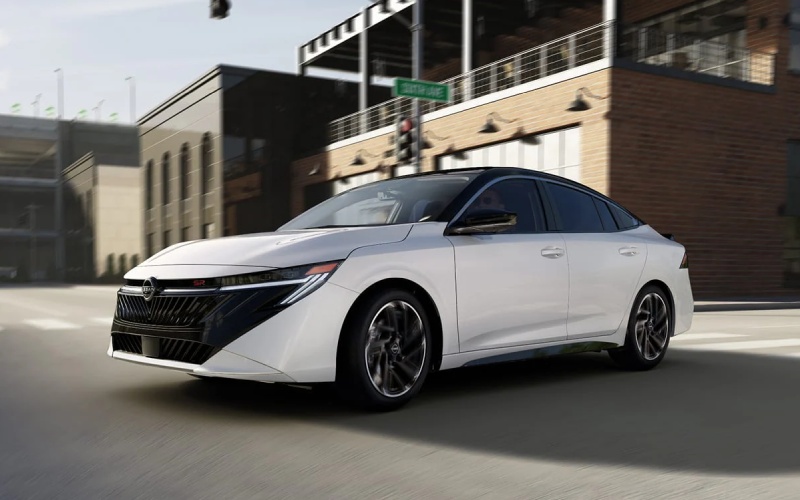
Tri-State Nissan - Does the 2026 Nissan Sentra® offer reliable wireless Apple CarPlay® in Martinsburg, WV?
For many drivers who live in or commute through Martinsburg, WV, effortless smartphone integration is a must-have — especially when your day involves hopping on I-81, cutting across WV-9, or navigating side streets near Downtown. The 2026 Nissan Sentra® was engineered with exactly that in mind, delivering wireless Apple CarPlay® and Android Auto™ capability so your maps, messages, and music are right where you need them without a cord in sight. At Tri-State Nissan, we help local shoppers understand how this tech works in real life and how it fits your daily routine between Martinsburg and our showroom just down I-81 in Winchester.
Beyond simply “does it have it,” you likely care how well it performs when coverage fluctuates, whether it adds complexity when multiple family members drive, and what else in the Sentra® ecosystem supports your connected life. Below, we break down the features, setup tips, and ownership insights our team shares with shoppers who want modern tech that just works — no drama, no extra steps — on every run to Spring Mills, Shepherdstown, Inwood, or across the state line.
What the 2026 Sentra® includes for seamless connectivity
The Sentra® brings a unified, driver-first tech experience that puts your apps and info front and center. Here is how the key features come together for Martinsburg-area drivers.
- Wireless Apple CarPlay®: Access compatible iPhone® apps for maps, calls, messages, and music without plugging in.
- Android Auto™: Mirror key features from your compatible Android smartphone — also wire-free — for a clean cabin and quick handoffs between drivers.
- NissanConnect® Wi-Fi Hotspot: Connect up to seven compatible devices to the vehicle’s onboard connection — great for passengers catching up on streaming or schoolwork during longer drives.
- Monolith Display with 12.3-inch dual screens: Available integrated high-resolution gauges and infotainment put essential info at a glance, helping keep your eyes up and your focus on the road.
- NissanConnect® 12.3" infotainment system: Intuitive menus and crisp graphics make it easy to jump between navigation, audio, and vehicle settings.
- USB Ports: Keep devices topped up so your phone stays charged during back-to-back errands or a Winchester commute.
- Bose Premium Audio System: Premium tuning elevates podcasts, playlists, and calls, even when traffic noise picks up on I-81.
- Additional Driver profiles: NissanConnect® Services can personalize select settings for up to four additional drivers — a real time-saver when teens or partners share the Sentra®.
- Remote Engine Start with Intelligent Climate Control: Use the MyNISSAN app to precondition the cabin, so you step into a comfortable space ready for a hands-free, cord-free drive.
- Connected garage with myQ®: Open and close a compatible garage door from the vehicle’s ecosystem — one less app to juggle as you pull out.
Together, these features create a connected drive tailored to local roads — quick to pair, easy to see, and simple to share between drivers in your household.
Set up wireless Apple CarPlay® or Android Auto™ in minutes
Pairing is straightforward, and our team will happily walk you through it during your test drive — but here is the quick version so you know what to expect.
- Start your Sentra® and ensure Bluetooth and Wi-Fi are enabled on your smartphone.
- On the center display, open the Phone or Smartphone Integration menu and begin pairing.
- On your phone, confirm the pairing request and accept prompts to enable wireless CarPlay or Android Auto.
- Grant requested permissions so your maps, contacts, and notifications are available.
- Choose your default navigation and audio apps — the system will remember your preferences next time you drive.
Most drivers complete this once, and the Sentra® remembers the device. If multiple family members pair their phones, the system can prompt you to select a device at startup or connect to the last used phone automatically — keeping things smooth and predictable.
What about reliability? Wireless Apple CarPlay® and Android Auto™ use a stable, high-bandwidth link that starts with Bluetooth and transfers data over a Wi-Fi connection between your phone and the vehicle. For best results, keep your smartphone’s software updated and bring a charging cable for longer trips so your battery stays healthy while navigating and streaming. The Sentra®’s USB Ports make that easy.
How it performs around Martinsburg — and why it matters
Between quick hops across town and longer stretches on I-81, your phone does a lot — navigation, traffic rerouting, calls, and entertainment. With wireless Apple CarPlay® and Android Auto™, the 2026 Sentra® turns that into a glance-and-go experience. You can start a route to Winchester Medical Center from your porch on your phone, step into the Sentra®, and the directions will be right there on the large center screen. If traffic bunches up by Exit 12, your preferred app can reroute without you needing to handle your phone.
Passengers staying productive? NissanConnect® Wi-Fi Hotspot can help keep devices online for up to seven compatible devices — ideal for kids catching up on homework or colleagues reviewing files on the way to a meeting. Do note that the Wi-Fi Hotspot uses the vehicle’s data connection and requires an active plan, so coverage depends on the network provider. For everyday use around Martinsburg and along the I-81 corridor, many drivers find the combination of smartphone integration and Wi-Fi support covers the bases without complicated workarounds.
The Sentra® also wraps all of this in a calm, confidence-inspiring drive. Up to 30/38 MPG City/Highway and an Xtronic CVT® help keep things efficient on daily commutes, while available ProPILOT Assist brings helpful support for the highway portions of your route — smoothing out stop-and-go and helping you maintain your lane so you can focus on the situation ahead.
Day to day, it is this blend of intuitive setup, crisp visuals, and thoughtful vehicle tech that earns the Sentra® a spot on many shortlists for Martinsburg shoppers. You get the connected features you want, without adding friction to your routine.
Tips from our team for a flawless connected experience
We set up wireless Apple CarPlay® and Android Auto™ for customers daily, and a few simple habits make an already strong system feel even smoother.
- Let the system load: Give the Sentra® a moment to reconnect after startup — you should see your apps populate quickly without tapping through menus.
- Use favored apps: Choose one navigation app and one audio app as your go-tos; fewer background switches mean faster performance.
- Charge smartly: Long podcasts and navigation can drain a battery — plug into the USB Ports to keep your phone topped up.
- Keep it updated: Update your phone’s OS and apps — performance and reliability improvements arrive frequently.
- Lean on profiles: If multiple family members drive, set up Additional Driver profiles in NissanConnect® Services so settings feel familiar each time.
If you would like, our delivery specialists at Tri-State Nissan can personalize these settings with you during your test drive and again at delivery — including pairing phones, arranging home screens, and demonstrating voice commands so you spend less time tapping and more time driving.
Frequently Asked Questions:
Is wireless Apple CarPlay® standard on the 2026 Nissan Sentra®?
Wireless Apple CarPlay® and Android Auto™ are available on the 2026 Sentra®. We will show you exactly which trims and vehicles in our current inventory include them when you visit or contact our team.
Do I need a data plan to use Apple CarPlay® or Android Auto™?
No data plan is required for CarPlay or Android Auto — those use your smartphone’s data. NissanConnect® Wi-Fi Hotspot is separate and requires an active plan to provide in-vehicle internet access for passenger devices.
How many devices can connect to the NissanConnect® Wi-Fi Hotspot?
Up to seven compatible devices can connect to the Wi-Fi Hotspot — great for families or carpooling coworkers.
Can multiple drivers have their own settings in the Sentra®?
Yes. With Additional Driver support in NissanConnect® Services, up to four additional drivers can enjoy personalized settings. Each driver can also pair their own phone for wireless Apple CarPlay® or Android Auto™.
What if I prefer a cable sometimes?
You can always plug in if you wish — for instance, to maximize charging speed during longer trips. The Sentra® recognizes both wireless and wired connections.
Where can I try this tech near Martinsburg?
Visit us at Tri-State Nissan in Winchester — a quick drive down I-81 — and bring your phone. We will pair it on the spot, demonstrate Apple CarPlay® and Android Auto™, and help you test real-world scenarios you care about, from voice-to-text to your favorite playlist.
If a sedan that streamlines your digital life sounds like the right fit, the 2026 Nissan Sentra® is ready. Stop by Tri-State Nissan to explore the Monolith Display with 12.3-inch dual screens, try out wireless Apple CarPlay® and Android Auto™, and see how features like NissanConnect® Wi-Fi Hotspot, USB Ports, and the Bose Premium Audio System make every mile between Martinsburg and Winchester feel more connected and more enjoyable. We are here to help you get set up, dialed in, and confidently on your way.
Questions before you drive over? Reach out to our team — we will walk you through compatibility, trim availability, and setup so your first test drive feels as familiar as your current daily driver, just smarter.